When to Move Off WordPress to a Custom CMS
Move off WordPress when plugin conflicts, unfixable page speed, or a multi-channel editorial workflow become recurring, not occasional, problems.
When to Move Off WordPress to a Custom CMS
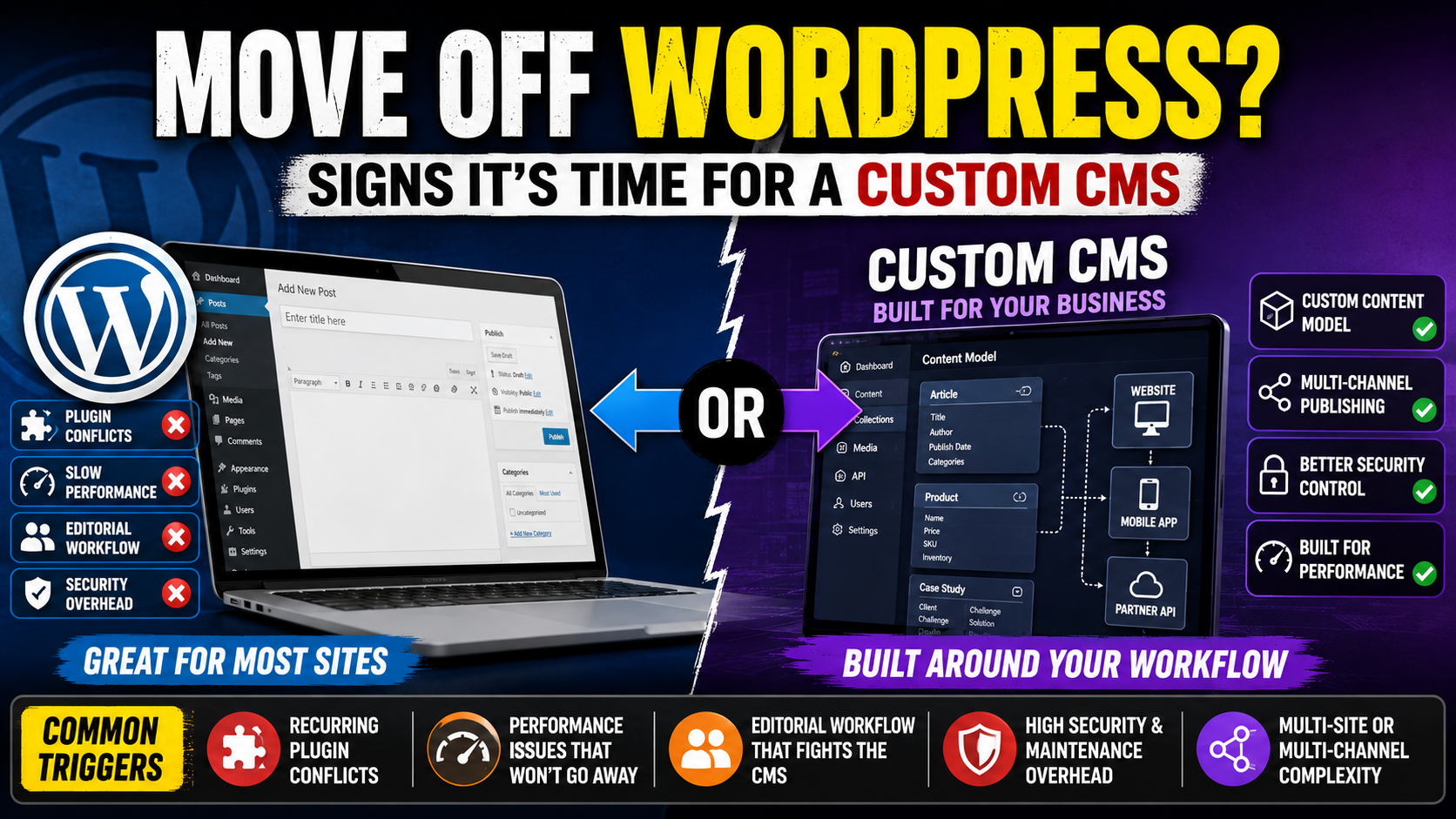
Move off WordPress when plugin conflicts, page speed, or an editorial workflow that no combination of plugins can fix start costing more in developer time than a custom build would. For most content-led sites, WordPress remains the right tool, and the trigger for leaving is a specific, recurring breaking point, not general frustration with any one update.
WordPress is right for most sites, and that needs saying first
WordPress runs a large share of the web for good reason: a mature plugin ecosystem, a large pool of developers who know it, and a low cost to get a capable site running quickly. Most business sites, blogs, and small to mid-size content operations are well served by it, and moving away from it is a real cost with a real opportunity cost attached. The question is not whether WordPress is good software. It is whether your specific, current pain points are ones WordPress structurally cannot solve.
It is also worth separating a WordPress problem from a hosting or maintenance problem. A large share of the complaints attributed to WordPress being slow or fragile actually trace back to cheap shared hosting, an outdated PHP version, or a maintenance contract that only patches security issues and never reviews plugin bloat. Moving to a better-managed WordPress host, on current PHP, with an active plugin audit, resolves a meaningful portion of cases people assume require a full platform change.
Plugin conflicts that keep recurring
A site running twenty or thirty plugins to cover SEO, forms, caching, security, and page building accumulates version-compatibility risk with every update. If your team routinely delays WordPress core or plugin updates because the last update broke something, and that delay is now a recurring item on a maintenance calendar rather than a one-off incident, that is a structural cost, not bad luck.
Performance that plugins cannot fix
Caching plugins, image optimisation plugins, and CDN integrations can meaningfully improve WordPress performance, and most sites should try all of them before concluding the platform is the bottleneck. The signal worth acting on is when page load time stays poor after a genuine, sustained optimisation effort, particularly on a content-heavy or e-commerce-adjacent site where load time is measurably tied to conversion or search ranking.
Editorial workflow that fights the CMS
WordPress's editorial workflow, built around posts, pages, and the block editor, fits most publishing patterns. It fits poorly when your editorial team needs structured content types with many cross-referenced fields, multi-step approval chains across several teams, or the same content published to a website, an app, and a partner feed from one source. If editors are routinely working around the CMS with spreadsheets or manual copy-paste to make it do what they need, that is the editorial-workflow trigger.
Security overhead at scale
A single WordPress site with a small, trusted plugin list is not inherently insecure. Security overhead becomes a real driver when you are maintaining several WordPress installs, each with its own plugin surface area to patch and monitor, and the aggregate maintenance burden across all of them is consistently eating time that should go to content or product work.
Multi-site content management
WordPress Multisite exists and works for straightforward cases. It becomes strained when different sites in your network need meaningfully different content models, different publishing permissions per market, or content genuinely shared and reused across sites rather than duplicated, which Multisite does not do natively.
Signal comparison
SignalUsually fixable in WordPressUsually needs a custom CMS Occasional plugin conflict after an updateYesNo Recurring plugin conflicts blocking every updateNoYes Slow pages despite caching and image optimisationSometimesYes, if load time stays poor after real effort Editors need a few extra custom fieldsYes, via ACF or similar pluginsNo Content needs to feed a website, an app, and a partner APINoYes Managing patch overhead across many WordPress installsSometimes, with a managed hostYes, at meaningful scale What a custom CMS actually buys you
A custom CMS, or a headless setup built around your content model, removes the plugin-compatibility risk entirely because there is no third-party plugin ecosystem to manage. It lets the content model match your editorial reality instead of adapting to WordPress's post-and-page structure, and it lets one piece of content be published to multiple channels from a single source. Sheraian builds custom CMS platforms for teams that have outgrown WordPress's assumptions, though for most WordPress sites the honest recommendation is to try a serious optimisation and plugin-consolidation pass before committing to a rebuild.
The migration itself is also a real project, not a weekend task: content needs mapping from the old structure to the new one, redirects need to be set up for every existing URL to preserve search rankings, and editors need training on a new interface. Budgeting for that migration work honestly, rather than treating it as a rounding error on top of the build cost, avoids the common mistake of underestimating how long the cutover actually takes.
Frequently asked questions
Is WordPress bad software?
No. It is mature, well-supported, and the right choice for most content-led sites. The question worth asking is whether your specific, recurring pain points are structural limits of the platform, not whether WordPress is generally good or bad.
How many plugins is too many?
There is no fixed number. The signal is recurring conflicts on updates, not plugin count on its own. A well-maintained site with thirty plugins can be more stable than a poorly maintained site with ten.
Can a headless WordPress setup solve the multi-channel content problem?
Sometimes, using WordPress purely as a content API behind a separate front end. It is worth evaluating before a full custom CMS, since it keeps the familiar editorial interface while solving the multi-channel distribution problem.
Will moving off WordPress fix a slow site if the real cause is unoptimised images or no caching?
No, and it is worth ruling that out first. A custom CMS with the same unoptimised assets and no caching strategy will not automatically be faster.
How disruptive is a WordPress-to-custom-CMS migration for editors?
It depends on how different the new content model and editing interface are from what editors currently use. A well-planned migration with editor input on the new workflow reduces disruption significantly.
Does a custom CMS mean losing SEO plugins like Yoast?
You lose the specific plugin, but a custom CMS can implement the same SEO fundamentals, meta tags, structured data, and sitemaps, directly, without depending on a third-party plugin's compatibility with future updates.
What is a reasonable first step before committing to a rebuild?
Audit which plugins are actually causing recurring conflicts, run a genuine performance optimisation pass, and document specific editorial workarounds your team currently uses. That audit tells you whether the trigger is real or whether WordPress, properly maintained, still fits.
Not sure if your WordPress pain points are structural or fixable? Most are fixable with the right maintenance and plugin consolidation, and that is usually the cheaper, faster route. Talk to Sheraian for an honest assessment, including if the answer is that WordPress, properly maintained, is still the right platform for you.