How Much Does Custom MRP Software Cost?
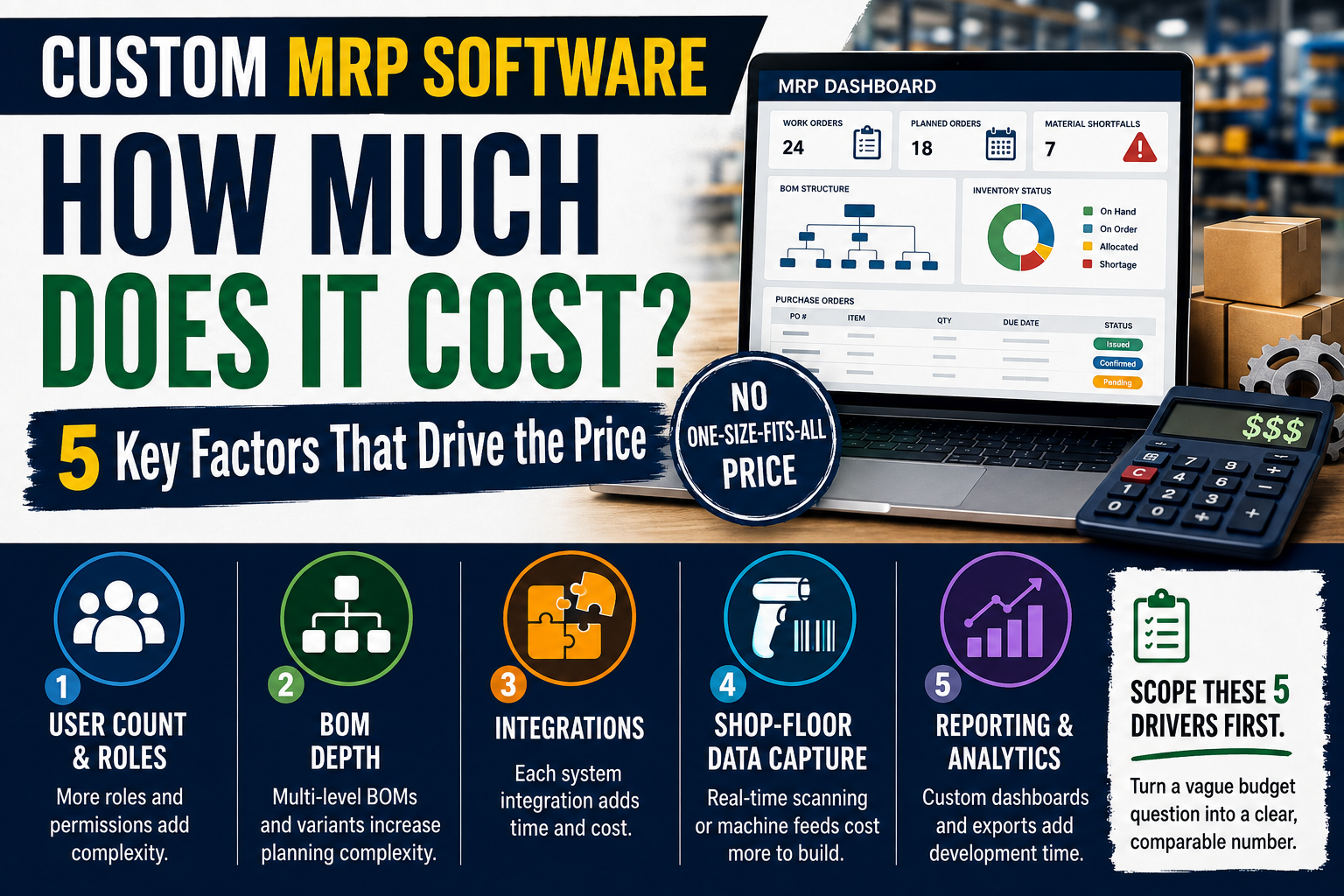
Custom MRP software cost depends on five drivers user count, BOM depth, integrations, shop-floor data capture and reporting complexity, not one fixed price.
How Much Does Custom MRP Software Cost?
Custom MRP software cost is driven by five factors: user count, bill of materials depth, integrations with existing systems, shop-floor data capture method, and reporting complexity. There is no single industry-wide price because any one of these can double or halve the build. Scoping these five drivers before asking for quotes is what turns a vague budget question into a comparable number.
Why there is no standard price to quote
Anyone who states a fixed number for "custom MRP software" without first asking about your bill of materials, your integrations and your team size is guessing. Two manufacturers with the same headcount can need builds that differ by a wide margin, because one assembles ten simple products from twenty parts and the other assembles two hundred product variants from a multi-level bill of materials with sub-assemblies. The honest answer to "how much" starts with the drivers below, not a headline figure.
Published price ranges for "manufacturing software" that circulate online are usually quoting a specific off-the-shelf licence tier, a specific integration count, or both, without saying so. Treat any number you see without a matching scope description as marketing, not a budget you can plan against.
The five cost drivers
User count and roles
Cost scales with how many distinct roles touch the system, not just total headcount. A build with one planner role is simpler than one that also needs purchasing approvals, shop-floor operator logins, and a read-only view for finance. Each additional role usually means additional permission logic and screens, not just an extra licence seat.
Bill of materials depth
A flat BOM, where a finished product lists its direct components, is straightforward to model. A multi-level BOM, where sub-assemblies are themselves built from other components and tracked through work-in-progress, adds real complexity: the system has to plan and track material requirements at every level, not just the top one. Depth matters more than the number of products.
Integrations with existing systems
Every integration is a separate piece of scoped work: an accounting system for costed transactions, an e-commerce platform for order intake, a supplier portal for purchase order status, or existing hardware like barcode scanners. Integrations are frequently the most underestimated line item, because the complexity lives in the other system's API, not in the MRP build itself.
Shop-floor data capture
How operators record progress changes the build significantly. A simple paper-to-spreadsheet-replacement approach is cheap. Real-time capture through barcode scanning, tablets mounted at each work centre, or machine data feeds is a meaningfully larger scope, because it usually needs its own interface designed for a factory floor rather than an office desk.
Reporting and analytics
Standard reports, like open work orders and current stock levels, are relatively quick to build. Custom dashboards with drill-down, scheduled exports, or role-specific views for finance versus operations add development time proportional to how many distinct views are required.
What raises or lowers each driver
| Driver | Raises cost | Lowers cost |
|---|---|---|
| User count and roles | Multiple distinct role types, approval workflows | Single role, simple permission model |
| BOM depth | Multi-level BOM, many product variants | Flat BOM, small product range |
| Integrations | Multiple third-party systems, poor or undocumented APIs | Few integrations, well-documented APIs |
| Shop-floor capture | Real-time scanning, tablets, machine data feeds | Manual entry at end of shift |
| Reporting | Multiple custom dashboards, scheduled exports | A small set of standard reports |
How to scope a realistic budget before asking for quotes
Write down, in plain language, the answer to each of the five drivers above for your business: how many roles, how many BOM levels, which systems must talk to the MRP system, how operators will record progress, and which reports leadership actually reads every week. A development partner can turn that scope into a specific estimate far faster than a generic conversation about "an MRP system," and you can compare quotes against the same scope rather than against different assumptions each vendor made silently.
It also helps to separate "must work on day one" from "would be useful eventually." A shop-floor manager might want real-time scanning at every work centre in an ideal world, but if the immediate problem is stockouts caused by inaccurate stock counts, a simpler manual capture step tied to accurate purchasing might solve the actual pain faster and cheaper. Ranking the five drivers by which one is actually causing today's problem, rather than building every feature a competitor's system has, is the single most effective way to keep a custom build's cost proportional to the value it delivers.
Off-the-shelf vs custom, on cost
Off-the-shelf MRP products have published or quickly quoted licence pricing, which makes them easier to budget for upfront, and that predictability is a genuine advantage. Custom becomes worth the extra scoping effort when the off-the-shelf product's assumptions about BOM structure or shop-floor workflow do not match how your business actually operates, forcing costly workarounds instead of one-off build cost. See MRP vs ERP: Which System Does Your Business Need for how to work out which scope you need before pricing either route. Sheraian can help scope the five drivers above before you request quotes, whichever route you choose.
Frequently asked questions
Is custom MRP software always more expensive than off-the-shelf?
Not necessarily upfront, and not always over time. Off-the-shelf has predictable licence pricing but can carry hidden costs from workarounds if it does not fit your process. Custom has a defined build cost but no ongoing per-user licence fees.
What is the single biggest driver of MRP software cost?
Bill of materials depth is usually the biggest driver, because a multi-level BOM with sub-assemblies requires the system to plan and track material requirements at every level, not just the finished product.
Do integrations really add that much to the cost?
Often, yes, and they are the most commonly underestimated item. The complexity usually sits in the other system's API and data format, not in the MRP build itself, so integration scope should be confirmed early.
Can I start with a simpler build and add features later?
Yes. A phased approach, starting with core planning and purchasing and adding shop-floor capture or advanced reporting later, is a common way to control initial cost and validate the core system first.
Does user count alone determine licence or build cost?
No. The number of distinct roles and the permission logic each role requires matters more than raw headcount, since two roles with different approval workflows add more complexity than ten users in the same role.
How do I compare quotes from different development partners fairly?
Give every vendor the same written scope covering all five drivers above. Quotes based on different silent assumptions about BOM depth or integrations cannot be compared meaningfully against each other.
Should shop-floor data capture be real-time from day one?
Not necessarily. Starting with manual entry at end of shift and upgrading to real-time scanning later is a reasonable way to control initial cost, provided the data accuracy of manual entry is acceptable for your planning needs.
Not ready to put a number on your project yet? That is normal until the five drivers above are scoped. If an off-the-shelf product can handle your BOM structure and integrations without workarounds, that is usually the better starting point on cost alone. Talk to Sheraian for a straight scoping conversation, including an honest answer if custom is not the right call yet.